 K5K1 Prog
Back up, restore and flash Quansheng UV-K5 / UV-K5 V3 / UV-K1 radios on your Mac.
or with Homebrew: brew install --cask eruban/tap/k5k1-prog
- Free and open source (GPL v3)
- Signed and notarized by Apple
- No telemetry
- macOS 12 or newer, Apple Silicon and Intel
What it does#
Back up and restore
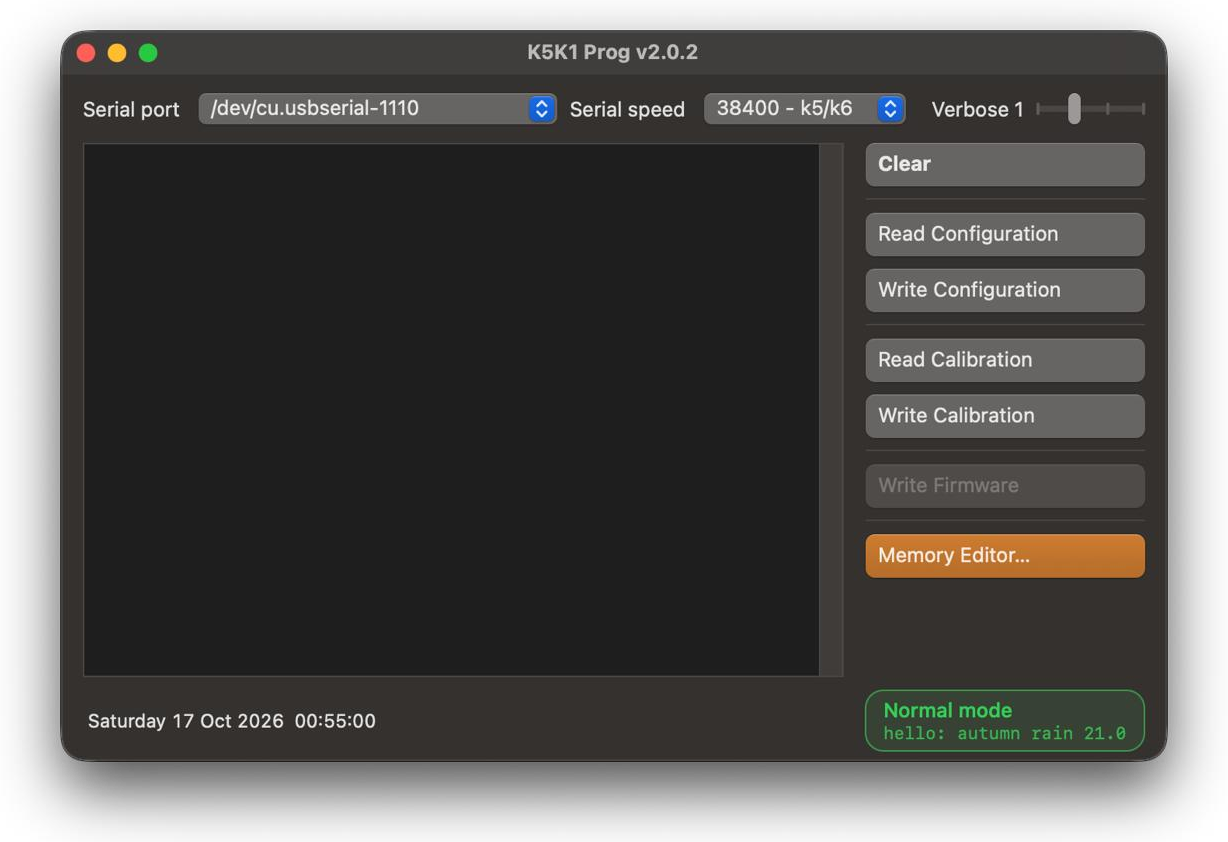
Read and write the radio's calibration and configuration. Keep your factory calibration safe before you flash anything.
Flash firmware
UV-K5 V1 and the newer UV-K5 V3 / UV-K1. The firmware file and the bootloader are checked before a single byte is sent; wrong combinations are refused.
Edit channels
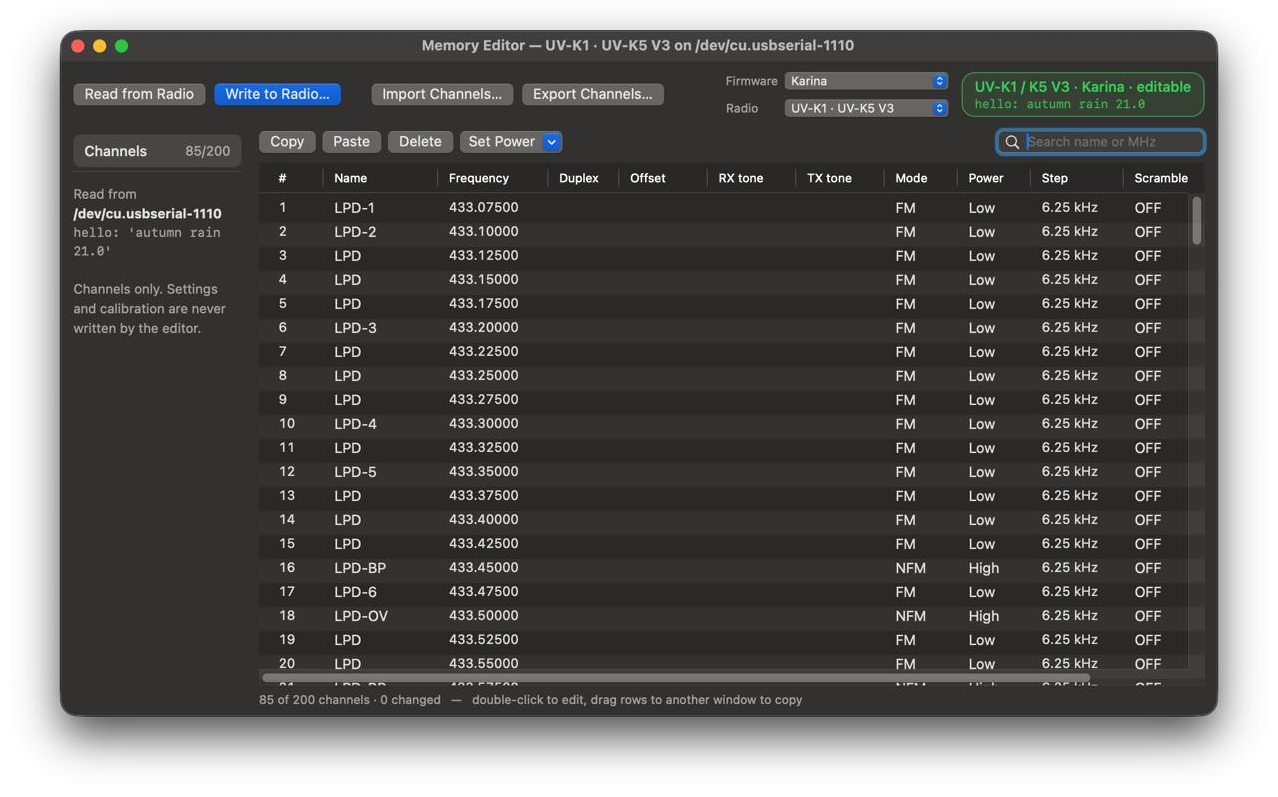
200 channels, stock and Karina firmware. Copy channels between radios, import and export CHIRP CSV and .img. Only the changed channels are written, after a backup, and read back to verify.
Knows your radio
The status bar shows which radio is on the cable, in which mode and with which firmware. The buttons follow it, so the wrong operation can't be started.
One to one with k5prog-win
The same buttons, log and bytes on the wire as the Windows tool k5prog-win, plus a few safety fixes.
Stays up to date
Updates itself from GitHub releases. With Homebrew, brew upgrade installs new versions.
Supported radios#
| Radio | Chip | Bootloader | Backup and restore | Firmware |
|---|---|---|---|---|
| UV‑K5, UV‑K5(8), UV‑K6, UV‑5R Plus (V1) | DP32G030 | 2.x – 4.x | Yes | Yes |
| UV‑K5 V3, UV‑K1 | PY32F071 | 7.xx | Yes | Yes |
| UV‑K5 V2, UV‑K6 V2 | PY32F030 | 1.xx | Yes | Refused* |
* V1 firmware leaves a V2 with a blank screen, so the app refuses it. The bootloader version tells the models apart: switch the radio on with PTT held and press Write Firmware, the log shows it.
Before you start#
- Press Read Calibration first and keep the file: it holds your radio's own TX power and battery calibration, and you can't get it anywhere else.
- The app can't tell a UV-K1 firmware file from a UV-K5 V3 one: pick the file for your model.
- Flashing is at your own risk.
Install#
- Download the .dmg, open it and drag K5K1 Prog to Applications.
- Or with Homebrew:
brew install --cask eruban/tap/k5k1-prog - Connect the radio with a programming cable (2-pin Kenwood plug). It shows up as
/dev/cu.usbserial-…
Karina firmware by autumn1rain: UV-K5 V1 · UV-K5 V3 / UV-K1
Questions and answers#
Can I program a Quansheng UV-K5 on a Mac?#
Yes. K5K1 Prog runs natively on macOS 12 or newer, on Apple Silicon and Intel, without Windows or a virtual machine. It backs up and restores calibration and configuration, flashes firmware and edits channels.
Which radios are supported?#
UV-K5, UV-K5(8), UV-K6 and UV-5R Plus with the DP32G030 chip (V1), and the newer UV-K5 V3 and UV-K1 (PY32F071). On the UV-K5 V2 / UV-K6 V2 backup and restore work; firmware upload is refused.
Do I need a driver for the programming cable?#
Usually not: the common CH340 cables work on current macOS without extra software. The cable shows up as /dev/cu.usbserial-…
Is it an alternative to CHIRP?#
For channels, yes: the Memory Editor edits the 200 channels of stock and Karina firmware and imports and exports CHIRP CSV and .img files. The radio's menu settings are not edited.
Which firmware can I flash?#
Any firmware file for your model, .bin or .packed.bin: stock Quansheng, Karina, F4HWN and others. Before sending anything the app checks that the file fits the radio's bootloader.
Is it free and safe?#
Free and open source under GPL v3. The app is signed and notarized by Apple, has no telemetry and only contacts GitHub to check for updates.